
A missed call to the front desk can become a missed client, delayed service request, or frustrated tenant. When calls depend on aging desk phones, personal cell numbers, or separate systems at each location, the issue is rarely just voice quality. It is an operating problem.
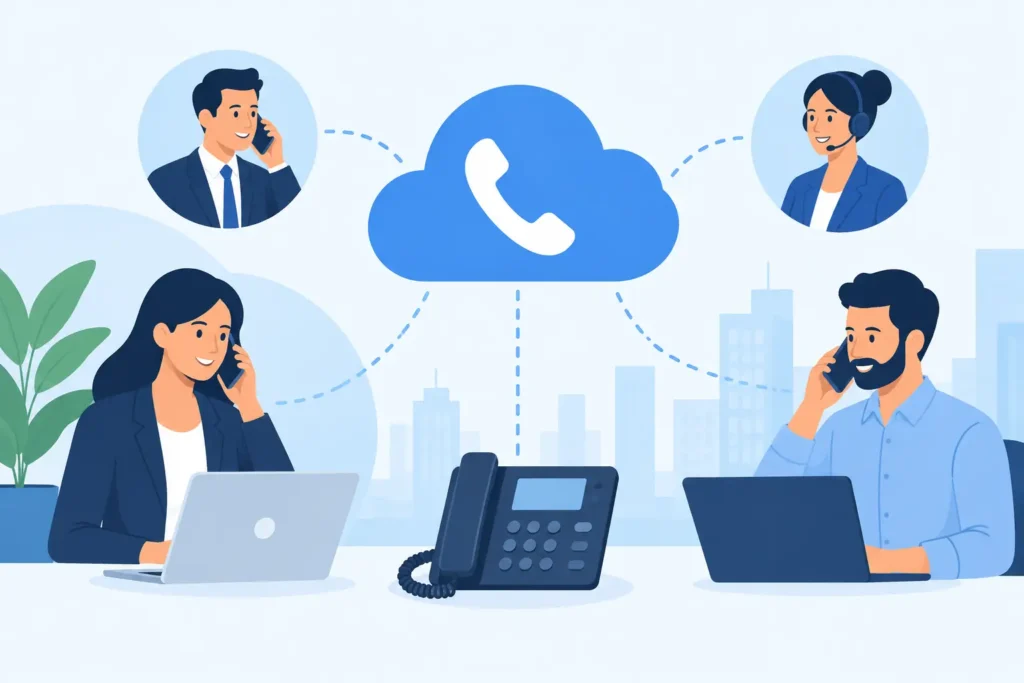
Cloud phone systems put business calling, voicemail, call routing, messaging, and mobility under one managed platform. For organizations across New Jersey, New York, and Pennsylvania, that can mean a consistent calling experience whether an employee is at headquarters, a branch office, a job site, or working from home. The value is not simply replacing a phone system. It is establishing a dependable communications standard that fits the rest of the technology environment.
What Cloud Phone Systems Change
Traditional business phone systems often rely on equipment installed at a single site, carrier-specific circuits, and changes that require a technician or lengthy service request. Cloud voice moves the core calling service to a provider-hosted platform. Users place and receive calls through desk phones, computer applications, mobile applications, or a combination of all three.
That flexibility matters when work moves between locations. A legal office may need reception coverage during court appearances. A property management team may need maintenance calls routed after hours. A multi-site retailer may need each store reachable through a familiar local number while management can monitor activity from one place.
The strongest result is consistency. A new employee receives a business number, voicemail, calling permissions, and the same directory experience as the rest of the organization. If someone changes desks or works remotely for a week, their number and call settings move with them. The business is less dependent on a particular extension, device, or physical office.
The platform is only one part of the service
A cloud phone platform does not correct weak Wi-Fi, an undersized internet connection, poorly configured firewalls, or unclear call-routing rules. Voice traffic is sensitive to delay, jitter, and packet loss. A system can have the right features on paper and still frustrate users if the underlying network is not ready.
This is why phone decisions should involve more than selecting handsets and comparing monthly rates. The voice environment needs to be designed around the network, identity controls, devices, locations, and support process already in place.
Where Businesses See the Operational Benefit
For most small and midsize organizations, the practical gains come from solving everyday communication gaps. A capable system can route calls by schedule, department, location, or on-call rotation. It can send voicemail to email, provide shared lines for teams, and keep a business number separate from an employee’s personal mobile number.
It also gives leadership more control when staffing changes. Former employees can be removed from the calling environment promptly. Numbers can be reassigned without losing customer continuity. A receptionist or office manager can update a holiday greeting or emergency message without waiting for a carrier ticket.
For organizations with multiple sites, standardization is especially valuable. One dial plan, one directory, and one process for adds, moves, and changes reduce confusion. A caller reaching a New Jersey office should receive the same professional experience as one calling a New York or Pennsylvania location.
There is also a continuity benefit. If a building loses access, calls can be redirected to mobile devices, another office, or a temporary answering group. That does not eliminate the need for a continuity plan, but it gives the organization more options than a phone system tied entirely to a single location.
Plan the Call Flow Before Choosing Features
Phone projects often stall because the business has not documented how calls actually move. The first question is not whether a platform includes auto attendants or call queues. Most do. The better question is what should happen when a customer calls at 10:30 a.m., after 5:00 p.m., during an office closure, or when the primary contact does not answer.
Start by mapping the important call paths. Include the main number, department lines, direct-dial numbers, after-hours coverage, emergency procedures, fax or alarm lines, conference rooms, and any shared extensions. Ask who owns each path and what happens if that person is unavailable.
This work exposes exceptions that can cause trouble during a cutover. A medical practice may have specific escalation requirements. A construction company may need job-site supervisors to receive calls in sequence. A hospitality property may have common-area phones or front-desk workflows that cannot tolerate confusion. Each environment needs a design that reflects its actual operations.
Keep reception and mobile work connected
Mobile applications are useful, but they should not turn every employee into an independent phone system. Establish clear rules for business calling from mobile devices, caller ID, voicemail, texting, and after-hours availability. The goal is flexibility without losing visibility or a consistent customer experience.
Reception coverage needs similar care. Define whether calls ring a receptionist first, enter a queue, overflow to another group, or route directly to a department. Small adjustments in this logic can reduce abandoned calls and prevent one person from becoming the bottleneck for the whole office.
Prepare the Network and Security Controls
Before deployment, assess every location that will carry voice traffic. Review internet capacity, network switching, Wi-Fi coverage, firewall configuration, power protection, and backup connectivity. A site with occasional internet slowdowns may still work for email and web browsing while producing choppy or dropped calls.
Segmentation is often appropriate. Separating voice devices from general user traffic can improve management and reduce exposure. Quality-of-service settings may also help prioritize voice traffic, but they are not a substitute for sufficient bandwidth or a stable connection.
Security deserves equal attention. Phone systems are frequent targets for account takeover, toll fraud, and social engineering. Use strong authentication, role-based administration, and multifactor authentication where supported. Limit who can make international or premium-rate calls, review administrative access, and establish a process for offboarding users quickly.
The physical devices matter too. Desk phones should be inventoried, assigned to users or spaces, and included in support documentation. Conference rooms, lobby phones, analog devices, door intercoms, and emergency calling requirements can complicate an otherwise straightforward deployment. Identify them early rather than discovering them after numbers have been ported.
Manage the Migration Like an Operations Project
Moving phone numbers is not an ordinary software change. Number porting involves carrier records, authorization documents, timelines, and dependencies that can affect the go-live date. A controlled migration starts with a complete inventory of current numbers, carriers, account details, and services tied to those lines.
The transition should include testing before the cutover and validation afterward. Test inbound and outbound calling, caller ID, voicemail, emergency dialing, transfers, queues, mobile apps, and failover behavior. For multi-location organizations, test each site rather than assuming one successful call proves the system is ready.
Training should be short and role-specific. Front-desk staff need confidence with transfers, parked calls, and queues. Managers may need reporting and schedule controls. Most employees need a simple explanation of their desk phone, mobile app, voicemail, and support path. A quick reference built around common tasks is more useful than a long feature manual.
DHK IT approaches cloud voice as part of a connected operating plan, not an isolated subscription. That includes the field deployment, network readiness, identity controls, user onboarding, support ownership, and ongoing adjustments that keep communication working as the business changes.
Choose Accountability Over a Low Monthly Rate
The lowest per-user price is not always the lowest operating cost. Some offers leave the business responsible for device setup, number transfers, network troubleshooting, user support, and coordination between multiple vendors. That arrangement may work for a technically mature organization with internal capacity. It creates friction for many small and midsize teams.
When evaluating providers, clarify who owns the answer when calls fail at one location, a user cannot sign in to the mobile app, or a new office needs service. Ask how support requests are handled, who monitors the network connection, how emergency calling is managed, and whether documentation stays current after deployment.
A good fit depends on the organization. A small professional office may prioritize a polished main-line experience and easy mobile calling. A growing multi-site business may need consistent deployment standards, detailed call routing, and centralized support. A regulated environment may need stronger access controls, documented processes, and careful retention considerations.
The right decision is the one that gives users a dependable way to communicate while giving leadership clear ownership, controlled risk, and a plan for change. Start with how your calls need to work on a normal day and a disrupted one. That is where a phone system becomes part of a better-run operation.