
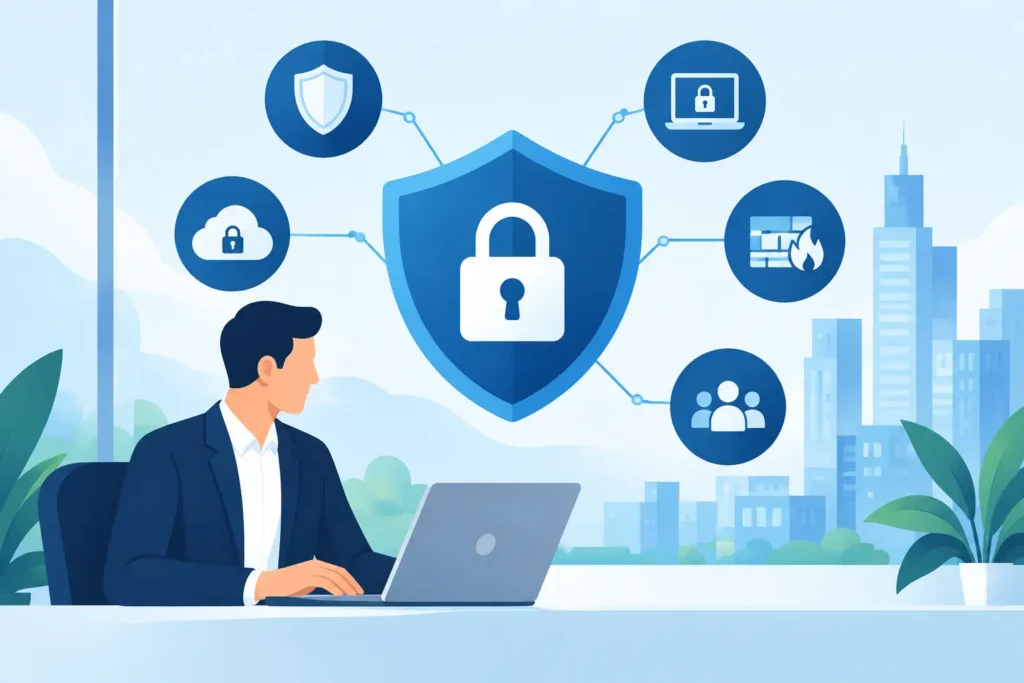
A compromised email account can become a payroll change request, a fraudulent vendor payment, or access to every shared file in a matter of minutes. A failed firewall can isolate a location. An untested backup can turn a manageable incident into days of downtime. Cybersecurity services should address these operational realities, not exist as a separate layer of software that nobody owns.
For small and midsize organizations, the objective is straightforward: keep users productive, protect critical information, and make risk visible before it becomes a business interruption. That requires coordinated controls across identities, devices, email, networks, cloud platforms, backups, and the people who use them every day.
Cybersecurity Services Start With the Environment
Security tools do not compensate for an undocumented, inconsistent IT environment. If one office uses a different firewall, Wi-Fi setup, backup process, or employee onboarding method than another, visibility drops and response time slows down. The same is true when an internal team, a cabling contractor, a cloud reseller, and a remote support provider each own only part of the picture.
A practical security plan begins by establishing what is in the environment and who is responsible for it. That includes users, administrator accounts, laptops, mobile devices, servers, network equipment, cloud applications, data repositories, remote access methods, and third-party vendors with access to sensitive systems.
The goal is not documentation for its own sake. It is a working baseline that answers useful questions quickly: Which devices are unmanaged? Who has elevated access? Where is company data stored? Which locations depend on a single internet connection? Can a terminated employee still reach email or files?
For multi-site businesses, property operators, schools, healthcare organizations, and professional offices, a consistent standard matters even more. One standard across every location makes it easier to identify exceptions, apply updates, support employees, and investigate an incident without losing time to guesswork.
Identity Is the Primary Security Perimeter
Most business systems are now accessed through a user identity. Microsoft 365, Google Workspace, line-of-business applications, remote desktops, cloud storage, and vendor portals all rely on accounts and permissions. That makes identity management one of the highest-value areas of cybersecurity work.
Strong identity controls usually include multifactor authentication, conditional access policies, password standards, secure self-service recovery, and a formal process for creating, changing, and removing accounts. Privileged accounts need additional protection because a compromised administrator account can bypass many other safeguards.
The right setup depends on the organization. A small office may need straightforward multifactor authentication and tightly controlled administrator access. A regulated organization or distributed operation may also need device-based access rules, location-aware controls, separate privileged accounts, and more detailed audit records. The common requirement is ownership. Someone must regularly review exceptions, failed sign-in activity, dormant accounts, and changes in access.
Employee onboarding and offboarding deserve the same discipline. A new employee should receive only the access required for their role, with a prepared device and clear security expectations. When someone leaves, access should be removed promptly across email, cloud applications, phones, VPNs, shared passwords, and vendor systems. This is a business process with security consequences, not just a help desk ticket.
Protect Devices, Email, and the Network Together
Endpoint protection is more than antivirus. Business laptops and desktops should be enrolled in centralized management, receive operating system and application updates, use disk encryption, and report their security status. If a device is lost, stolen, or suspected of compromise, the organization needs the ability to investigate, isolate, or remove company data without waiting for the device to return.
Email protection also requires more than a spam filter. Business email compromise often uses legitimate-looking messages, impersonated executives, fake invoice notices, and compromised vendor accounts. Technical controls can reduce malicious links, spoofed domains, and dangerous attachments, but finance and operations workflows must support the effort. For example, payment changes and bank detail updates should be independently verified through a known contact method.
At the network layer, managed firewalls, segmented Wi-Fi, secure remote access, and monitored internet connections reduce exposure. Guest wireless traffic should not share the same access path as business systems. Point-of-sale devices, cameras, building systems, and employee workstations should not all sit on one flat network simply because it was easier to install.
Segmentation is especially relevant for offices with operational technology, hospitality environments, properties, or multiple tenants. It limits how far an issue can spread and makes the network easier to support. It also creates a clearer record of what is connected and why.
Visibility and Response Matter as Much as Prevention
No security control is perfect. A useful cybersecurity program assumes that suspicious activity will occur and establishes what happens next.
That starts with monitoring. Security alerts from identity platforms, endpoints, firewalls, email systems, and backups should be reviewed in context. A flood of unprioritized alerts does not improve security. It creates noise and makes meaningful signals easier to miss. The operating model should define who receives alerts, which events require immediate action, how users report concerns, and when leadership needs to be notified.
Incident response should be proportionate to the organization, but it should be documented. A basic plan identifies decision-makers, technical contacts, legal or insurance contacts where applicable, communication steps, and recovery priorities. It also establishes practical actions such as disabling accounts, isolating a device, preserving evidence, resetting credentials, restoring data, and informing affected parties.
The test is not whether a policy exists in a folder. The test is whether the team can act clearly at 8:15 on a Monday morning when a user reports an unexpected login prompt and files begin to disappear from a shared drive.
Backup Is a Recovery Control, Not a Checkbox
Backup and continuity planning are often discussed after a ransomware event, but recovery design belongs in the original security plan. Organizations need to know what data is backed up, how often, where copies are stored, how long recovery will take, and whether the backup itself is protected from deletion or encryption.
A backup that has never been restored is an assumption. Regular restore testing confirms that files, systems, and configurations can actually be recovered within an acceptable timeframe. Different systems may have different priorities. A law firm may prioritize document management and email. A multi-location operator may prioritize point-of-sale, voice, internet connectivity, and shared business applications. There is no single recovery order that fits every organization.
Continuity also extends beyond data. Alternate internet options, spare equipment, cloud voice failover, documented vendor contacts, and remote-work procedures can determine whether a local outage becomes a full business shutdown.
Compliance Should Produce Better Operations
Organizations subject to HIPAA, PCI DSS, contractual security requirements, insurance questionnaires, or client audits often feel pressure to collect policies and check boxes. That work has value only when it reflects the way systems are actually operated.
Useful compliance controls connect written requirements to evidence: access reviews, security awareness training, asset inventories, vulnerability remediation records, backup test results, incident response procedures, and vendor assessments. If the evidence cannot be produced without a last-minute scramble, the process is not yet operationalized.
This does not mean every small business needs enterprise-scale governance. It means the controls should match the risk, the data handled, and the contractual obligations involved. A clear, consistently executed baseline is usually stronger than an elaborate policy set that no one follows.
What Accountable Security Support Looks Like
Many organizations already have security products. The gap is coordination. A firewall subscription does not manage identities. Endpoint software does not verify that offboarding was completed. A backup tool does not decide which systems must be restored first. Effective cybersecurity services connect these responsibilities into one operating plan.
That plan should include a current security baseline, prioritized improvements, documented ownership, regular review, and support that understands the local environment. It should also account for the full lifecycle: design, deployment, validation, user support, monitoring, remediation, and ongoing improvement.
DHK IT approaches security as part of the complete technology environment, from the first cable and network configuration to the final login and daily user support. That model gives organizations one accountable team for the dependencies that are otherwise easy to overlook.
The useful question is not whether your organization has enough security tools. It is whether users, devices, identities, networks, data, and recovery plans are working to the same standard – and whether someone is accountable for keeping them that way.